6 things I had Claude Code build instead of buying plugins
When I rebuilt my websites this month, Claude Code replaced over $1,100 a year of plugins in my WooCommerce template shop. (Here’s the full breakdown of what I cancelled and what each plugin costs.)
But I didn’t give up the features those plugins handled. I used Claude Code instead of plugins, and it built each one right into my site.
The short version: a recent-sales popup, one product page design per category, a distraction-free checkout, a “Complete your collection” bundle box, shop filters with best seller badges, and email forms built into the site. Here’s every feature, what it does, and which plugin it replaced.
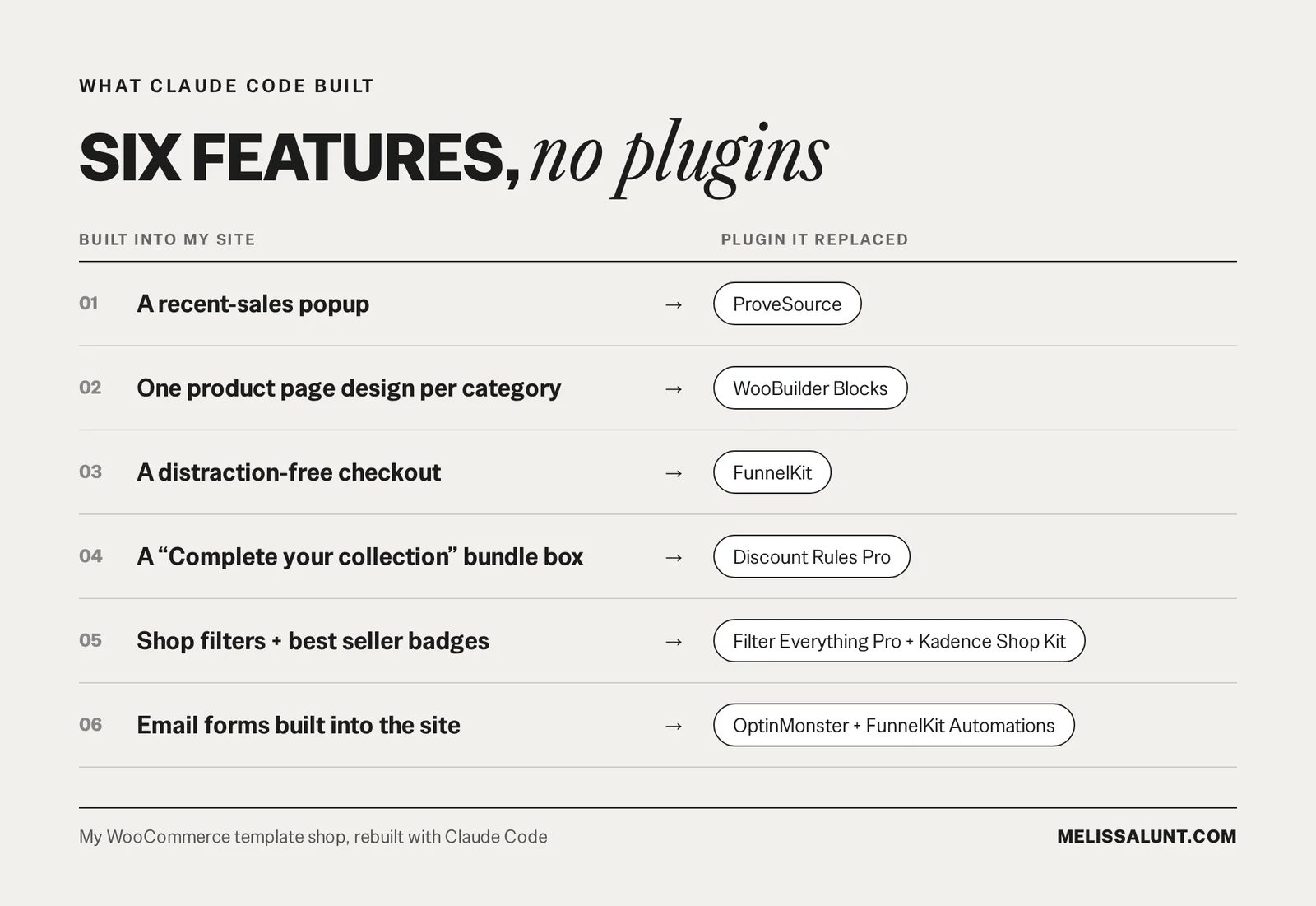
What did Claude Code build instead of plugins?
1. A recent-sales popup
The popup shows real paid orders from the last 30 days, with the product image, the product name and where the buyer is from, linking to that product. It only counts paid orders, skips my own test orders, and stays off the cart, checkout and account pages so it never distracts someone in the middle of buying.
The list of recent orders is built on my own site and refreshed every hour, so nothing loads from an outside service.

Replaced: ProveSource
2. One product page design per category
Every product used to have its design built into its own description. Changing a layout meant opening products one by one and editing each of them. Now each category has one shared design. I change it once and every product in that category updates.
Replaced: WooBuilder Blocks
3. A distraction-free checkout
The checkout page has no header, footer or sale banners. There’s the logo, a “Back to cart” link and the order summary with product images and the original price crossed out. “Instant access, nothing ships” sits next to the Place order button, because people buying digital products always wonder about that. On phones, a compact total and the Place order button sit near the top of the page.
Replaced: FunnelKit
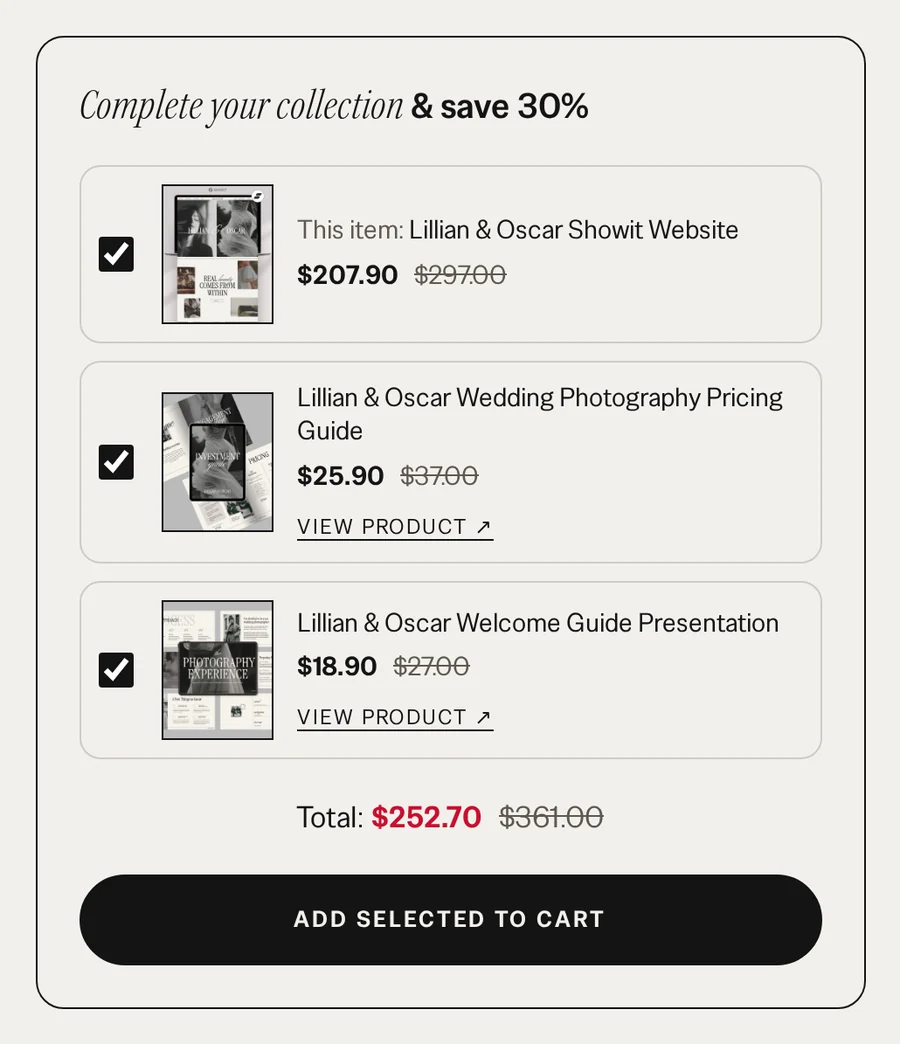
4. A “Complete your collection” bundle box
Product pages show the product plus related products with checkboxes, a running total and one button to add everything at once. When two or more of them are in the cart together, each one is 30% off its regular price. The bundle discount never stacks on top of a sale price.
Replaced: Discount Rules Pro
5. Shop filters and best seller badges
A horizontal filter bar sits above the product grid, so shoppers can narrow things down without a sidebar. Best sellers get a “Best seller” badge on their product cards.
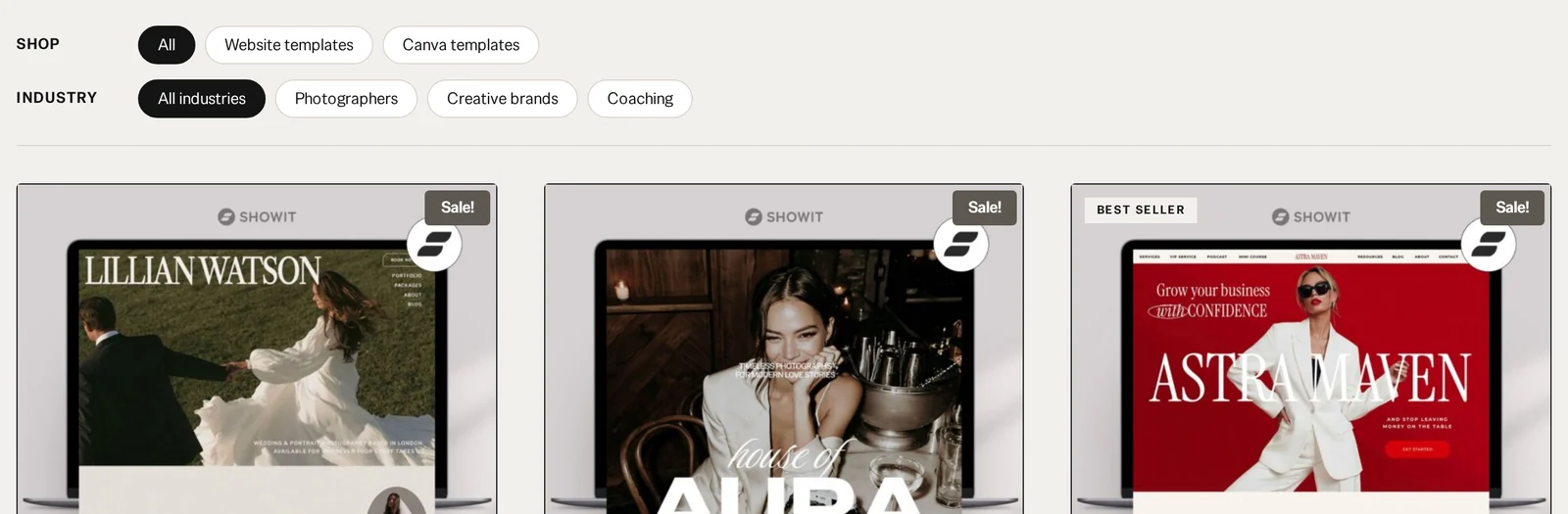
Replaced: Filter Everything Pro and Kadence Shop Kit
6. Email forms built into the site
My MailerLite signup forms are built right into the site, and every email automation runs inside MailerLite.
Replaced: OptinMonster and FunnelKit Automations
How can you try this yourself?
Pick one plugin you pay for and use one feature of. Write down exactly what that feature does on your site: where it shows up, what it says, and when it should stay hidden. Give that description to Claude Code and ask it to build only that. Test it on a copy of your site before it goes anywhere near your live shop.
Not sure which plugin to start with? Run your plugins through these six questions before they renew.
FAQ
Can Claude Code replace WooCommerce plugins?
For small, specific features, it did in my shop. These six features replaced ProveSource, WooBuilder Blocks, FunnelKit, Discount Rules Pro, Filter Everything Pro, Kadence Shop Kit, OptinMonster and FunnelKit Automations. Plugins that do a big job well, like payments, security and backups, are still worth paying for.
Does the recent-sales popup use an outside service?
No. The list of recent orders is built on my own site and refreshed every hour, so nothing loads from an outside service.
What should you give Claude Code before it builds a feature?
A specific description. Where the feature shows up, what it says, what it looks like and when it should stay hidden. “A sales popup” is too vague. “A small popup in the bottom left that shows a real paid order from the last 30 days, hidden on checkout” is something Claude Code can actually build. There’s a starting prompt you can adapt in my plugin cost breakdown.
Should you test custom code on your live shop?
No. Test it on a copy of your site first, and only cancel the plugin once the replacement works.
Ask Claude Code first
Before you buy the next plugin, ask Claude Code first. If it’s a small job, you might not need a whole plugin for it.