Brand sheet vs. brand guidelines: what your clients actually need
You finished the brand. The client loves it. Now they’re asking for “the brand stuff,” and you’re trying to decide if that means one page or a whole document.
The short answer: a brand sheet is a one-page summary of the brand (logos, colors, fonts, buttons and a moodboard) that people actually keep open while they work. Brand guidelines are the multi-page version that explains the brand and the rules for using it. Most clients get the most out of having both, and the right mix depends on who’s going to use the brand after you hand it off.
Here’s what goes in each one, when a client needs which, and what I’d put in a good handoff.
What is a brand sheet?
A brand sheet (some designers call it a brand board or a mini brand sheet) puts the whole brand on one page. Think of it as the cheat sheet your client pins next to their desk.
A good one usually includes:
- The main logo, plus the logo on light and dark backgrounds
- Submarks or alternate logos
- The color palette with hex codes (tonal shades are a nice extra)
- The fonts, with sample type so you can see them in use
- Buttons, so the website and graphics stay consistent
- A moodboard that shows the feel of the brand
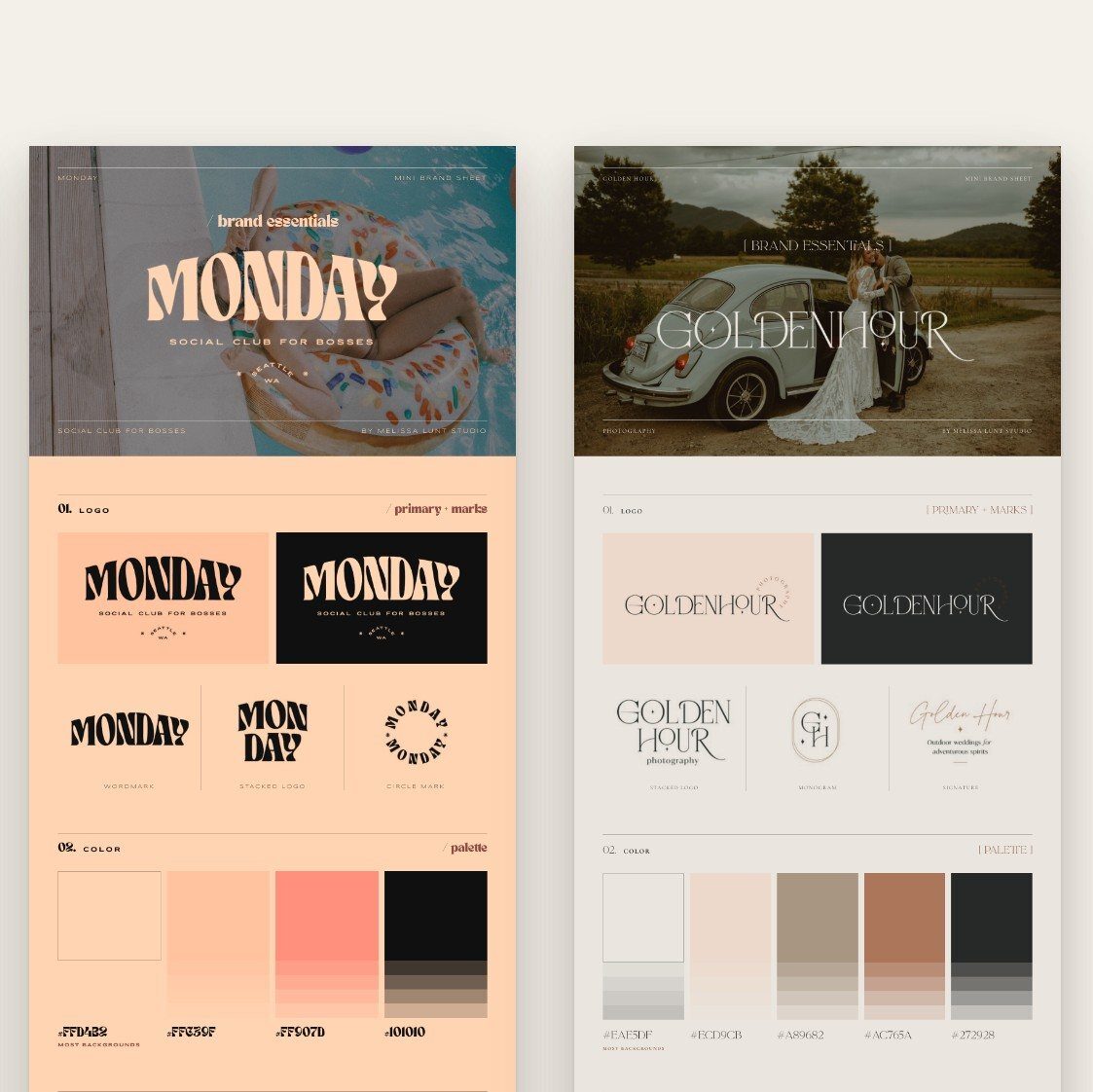
It’s the thing your client will open when she’s making an Instagram graphic at 9pm and can’t remember which pink is the pink.
What are brand guidelines?
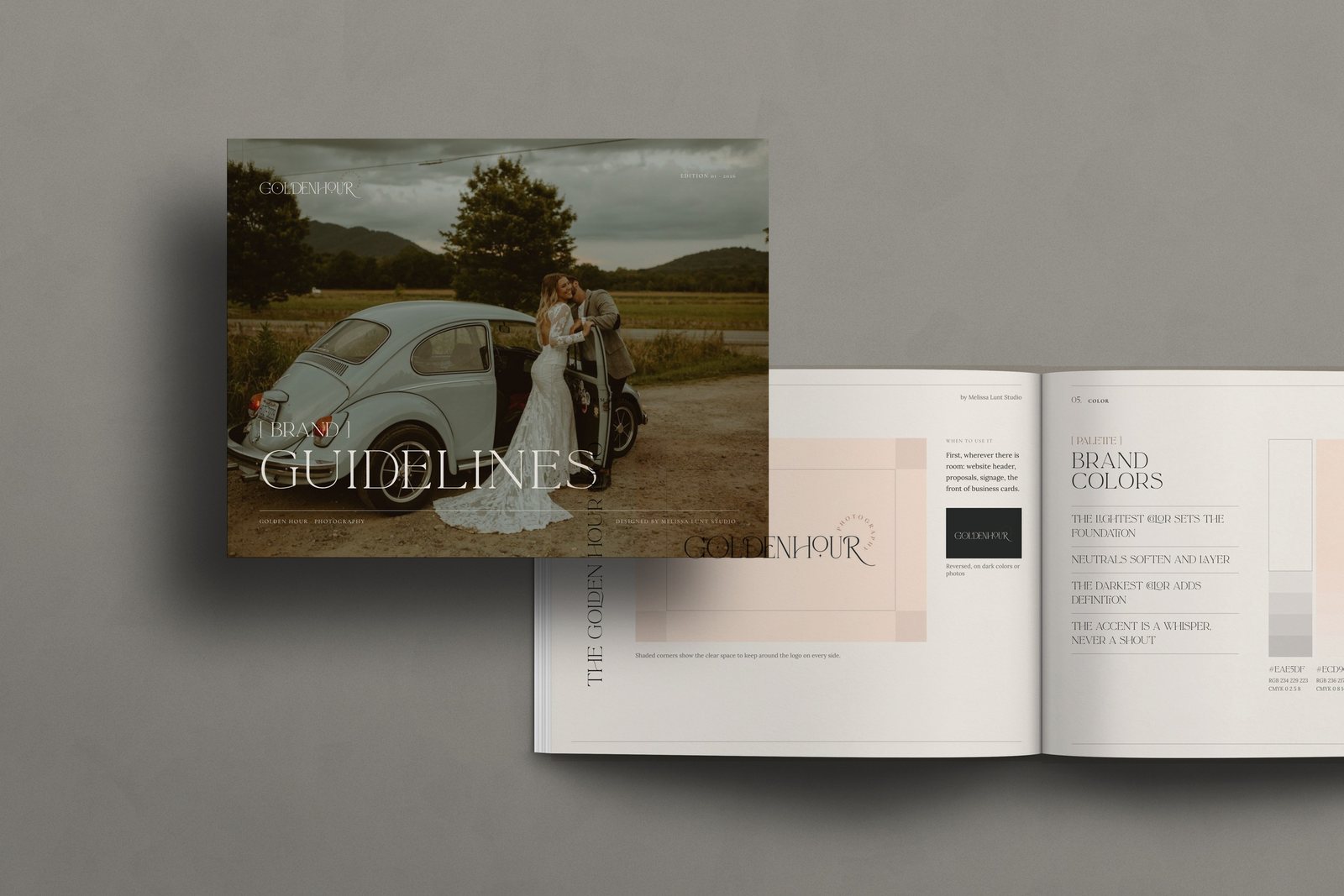
Brand guidelines are the full document. They cover everything on the brand sheet, then explain how and why to use it. They’re usually several pages, and they’re what a printer, a new hire or the next designer should read before they touch the brand.
Brand guidelines often include:
- A cover and contents page
- The brand story and a brand statement
- A moodboard
- The logo, logo variations and clear space rules
- Color, with usage notes (for example, which color is for backgrounds and which one is an accent)
- Typography, with which font is for headlines, body copy and accents
- Examples of the brand in use, like stationery or social graphics
Brand sheet vs. brand guidelines: which does your client need?
Here’s how I’d think about it.
| Brand sheet | Brand guidelines | |
|---|---|---|
| Length | One page | Multiple pages |
| Best for | Quick reference while making things | Explaining the brand and its rules |
| Who uses it | Your client, day to day | Printers, new team members, the next designer |
| Includes | Logos, colors, fonts, buttons, moodboard | All of that, plus story, usage rules and examples |
A brand sheet on its own can be enough when:
- Your client is a solo business owner who’ll make most of her own graphics
- The brand is simple, with one main logo and a small palette
- The project budget is small and the handoff needs to stay light
Brand guidelines matter more when:
- Other people will use the brand (a team, a VA, a printer, a future web designer)
- The brand has several logo versions, an accent font or rules that are easy to break
- Your client is investing in a full rebrand and expects a polished handoff
Honestly, for most of my clients, I’d give both. The brand sheet gets used every week, and the guidelines are what makes the handoff feel complete.
Want a brand sheet template to start with?
I made a free one. It’s a fill-in-the-blank Canva template that puts the brand you designed on one tall page (logos, colors, fonts, buttons and a moodboard), plus an AI text version you can upload to Claude, so it uses your exact colors, fonts and spacing instead of guessing.
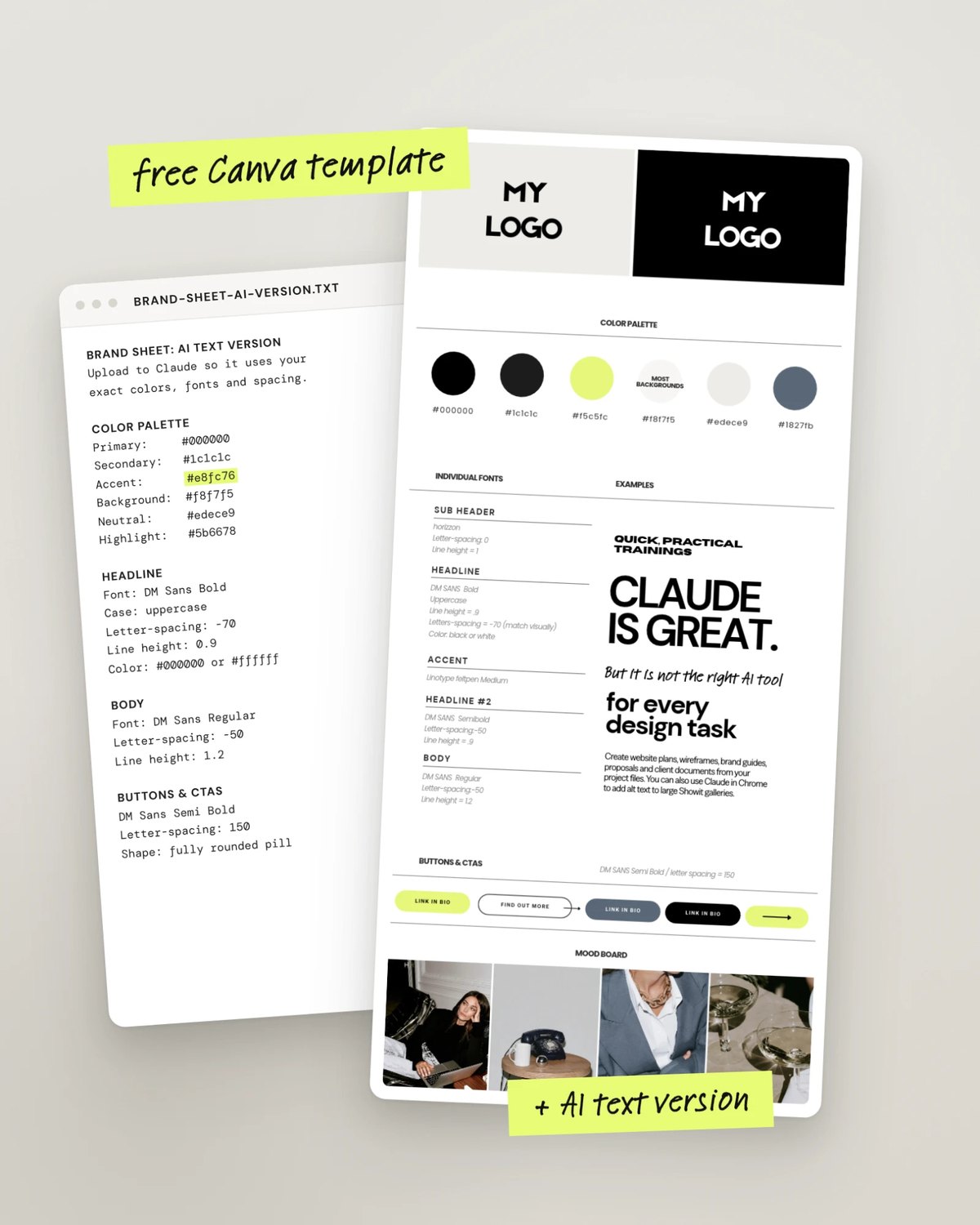
👉 Get the free brand sheet template
What should a good brand handoff include?
A good handoff is everything your client needs to keep the brand looking like the brand after you’re gone. Here’s my checklist:
- Logo files in the formats they’ll actually use (for web, print and social), including light versions for dark backgrounds
- A brand sheet for everyday reference
- Brand guidelines that explain the rules, especially if anyone else will touch the brand
- Font names and where to get them, with a note about licenses if a font is paid
- Color codes for screen and print
- An AI-readable version of the brand, so if your client uses Claude or ChatGPT for her own content, it stays on brand. (Here’s how to make a brand file Claude can read.)
The last one is newer, but I think it’s going to matter more and more. Your client is probably already using AI for captions and graphics. Giving her a file that keeps that work on brand is a really easy way to make your handoff stand out.
How do you make the handoff feel high-end?
Polish. The same brand handed off as a scattered Dropbox folder and as a styled set of guides can feel like two very different projects.
A few things that help:
- Style the documents in the client’s own brand, not a generic template
- Show the brand in use (a stationery mockup or a sample page goes a long way)
- Put your name on it, with a simple “Brand design by” credit
- Give the client one link or one folder with everything in it
If building all of that by hand is the part you dread, I wrote about how to give clients a high-end brand handoff without building it all by hand.
FAQ
What’s the difference between a brand sheet and brand guidelines?
A brand sheet is a one-page summary of the brand: logos, colors, fonts, buttons and a moodboard. Brand guidelines are a multi-page document that includes all of that, plus the brand story and rules for using it.
Is a brand board the same as a brand sheet?
Pretty much. Designers use “brand board,” “brand sheet” and “mini brand sheet” for the same idea: the whole brand on one page.
Do small businesses need brand guidelines?
Not always. A solo business owner who makes her own graphics can often get by with a brand sheet. Once other people use the brand, guidelines help everyone keep it consistent.
What should I include in a client brand handoff?
Logo files, a brand sheet, brand guidelines if others will use the brand, font names and licenses, color codes, and an AI-readable version of the brand.
Ready to hand off something you’re proud of?
If you want the full set (a mini brand sheet, multi-page brand guidelines and online brand guidelines your client opens with a link), all styled in your client’s brand, take a look at Brand Guidelines Builder. It’s a Claude skill I made: you fill in a brand form for a finished brand, and Claude builds the guides. You still design the brand. It just takes care of the documents.